Support Forum
Zooming in on Background image in Layout Editor (MacOs)
Atri
Thursday 1st September 2022
Attachments:
(only for registered users)

not zoomed.png

zoomed 1.png

zoomed 2.png
Hello, If i import a background image into a design and then try to zoom in on it , the image gets cut (pictures attached). Any ideas on how i can resolve this? Pictures without zoom and zoomed in are named accordingly. Version of layout editor is Release 20220423, for MacOs Monterey 12.5.1 . Thanks, Atri
Thursday 1st September 2022
Attachments:
(only for registered users)
not zoomed.png
zoomed 1.png
zoomed 2.png
Hello, If i import a background image into a design and then try to zoom in on it , the image gets cut (pictures attached). Any ideas on how i can resolve this? Pictures without zoom and zoomed in are named accordingly. Version of layout editor is Release 20220423, for MacOs Monterey 12.5.1 . Thanks, Atri
Jürgen
LayoutEditorFull
Thursday 1st September 2022 Hello Atri, I was able to reproduce the issue. It only appears on MacOS in case the resulting display scale of the background get bigger than one pixel on screen per background pixel. The issue will be fixed with the next update.
LayoutEditorFull
Thursday 1st September 2022 Hello Atri, I was able to reproduce the issue. It only appears on MacOS in case the resulting display scale of the background get bigger than one pixel on screen per background pixel. The issue will be fixed with the next update.
Jürgen
LayoutEditorFull
Thursday 8th September 2022 The issue is fixed with release 20220909 of the LayoutEditor, download is possible with this link: https://layouteditor.com/download?release=latest
LayoutEditorFull
Thursday 8th September 2022 The issue is fixed with release 20220909 of the LayoutEditor, download is possible with this link: https://layouteditor.com/download?release=latest
Support forums are fading
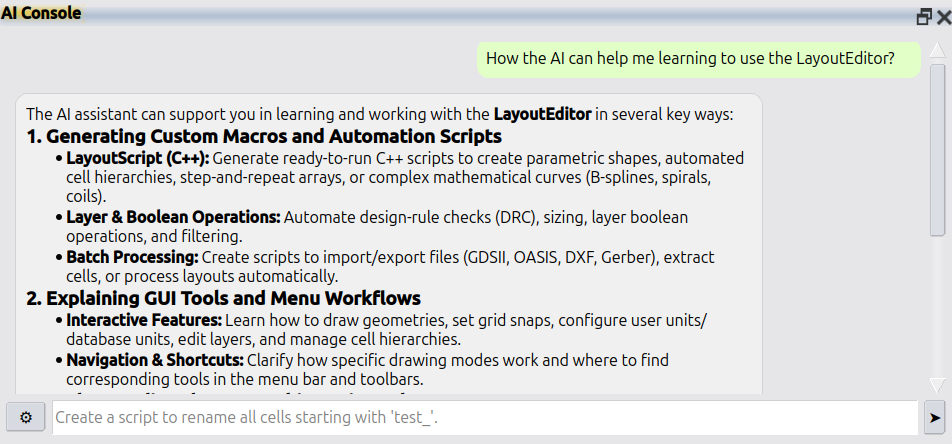
Support forums are fading because nobody wants to wait days for a reply. AI answers faster and better. LayoutEditor is no different: please use Help → AI Console in the LayoutEditor for all questions. If that is not enough, licensed users still have e-mail support at support@layouteditor.com. This forum remains available here as an archive.