Support Forum
cropWithSelection and punchWithSelection commands
User
LayoutEditorFull
Monday 23rd July 2018 These two commands, "cropWithSelection" and "punchWithSelection", will crop or punch every elements in all layers of the current cell according to the selected shape. Are there similar commands that I can use to crop or punch only one specific layer of the current cell? If not, can you provide such commands in next release? Thanks!
LayoutEditorFull
Monday 23rd July 2018 These two commands, "cropWithSelection" and "punchWithSelection", will crop or punch every elements in all layers of the current cell according to the selected shape. Are there similar commands that I can use to crop or punch only one specific layer of the current cell? If not, can you provide such commands in next release? Thanks!
Jürgen
LayoutEditorFull
Monday 23rd July 2018 In the case just a single layer is involved, an identical result can be achieved with a Boolean Operation (boolean on layer). So I don't see any additional benefit for such an new feature. If I have missed something, please let me know.
LayoutEditorFull
Monday 23rd July 2018 In the case just a single layer is involved, an identical result can be achieved with a Boolean Operation (boolean on layer). So I don't see any additional benefit for such an new feature. If I have missed something, please let me know.
Support forums are fading
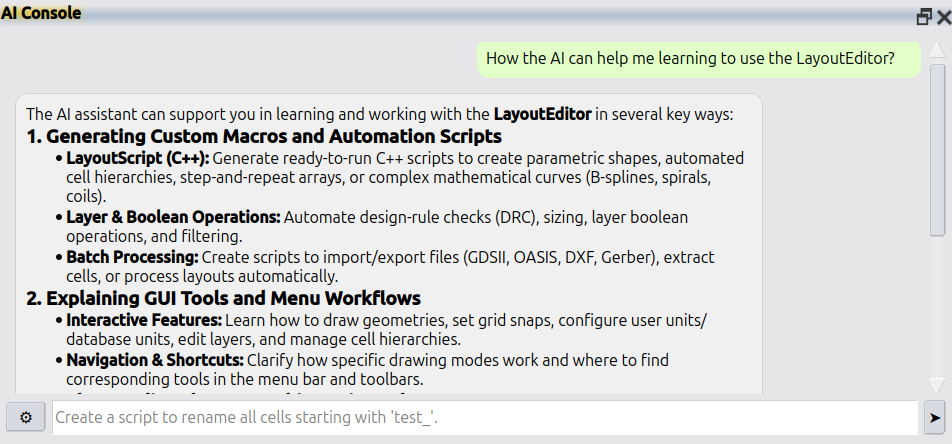
Support forums are fading because nobody wants to wait days for a reply. AI answers faster and better. LayoutEditor is no different: please use Help → AI Console in the LayoutEditor for all questions. If that is not enough, licensed users still have e-mail support at support@layouteditor.com. This forum remains available here as an archive.